
Lurnity · Case study · 4 min read
Lurnity
A course platform where content is locked behind Stripe, and the instructor side is a real admin tool rather than a database editor.
Lurnity is a private build. The platform is not publicly demoable.
- Client
- Lurnity
- Year
- 2024
- Role
- Full-stack developer
- Duration
- 10 Weeks
- Industry
- E-learning, SaaS
- Tools
- React, Spring Boot, MongoDB, Stripe
- Full-stack development
- Admin tooling
- Subscription gating
At a glance
Challenge
Course platforms tend to have two personalities: a beautiful learner experience and a terrifying admin. Instructors end up editing data directly because the authoring tools were never designed. Meanwhile, access control is a mess — who watched what, who paid, when does the lock lift.
Solution
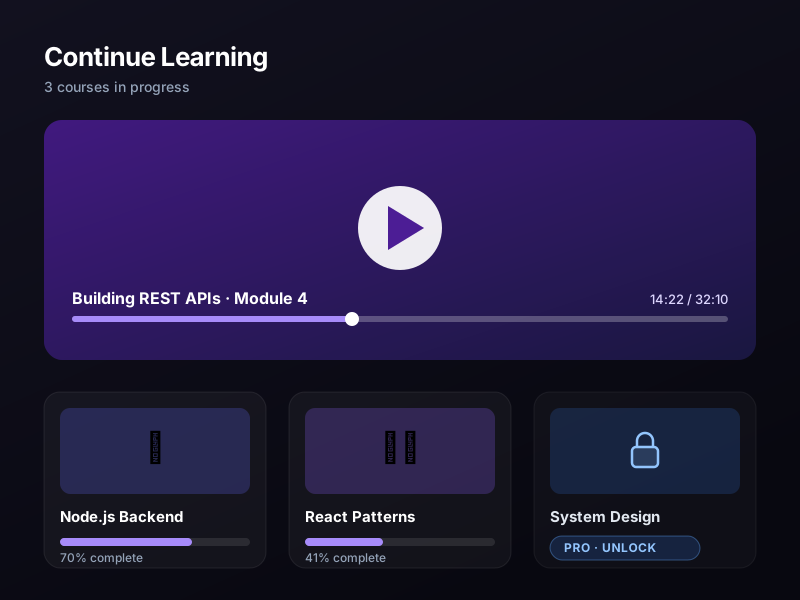
A React learner client and instructor dashboard over a Spring Boot API. Courses are assembled from syllabus uploads, video assets are protected behind signed access, and Stripe subscriptions decide what a learner can open, for how long, and which tier they are on.
Outcome
A platform where instructors manage courses, syllabi and enrolment from the dashboard, and where a paid subscription is the single source of truth for content access.
Deliverables
- Course and syllabus authoring dashboard
- Instructor upload portal for content
- Subscription-gated content access
- Stripe checkout and billing management
- Secure video playback asset delivery
Overview
Lurnity is an e-learning platform built around a simple rule: a learner sees exactly what their subscription entitles them to, and an instructor never touches a database.
The admin side matters as much as the learner side here — the platform is only useful if the person maintaining it is not afraid of it.
The challenge
- Let instructors build a course from a syllabus upload
- Gate content by subscription tier without leaking assets
- Make billing, invoices and access state one source of truth
- Give learners a progress view that is not a spreadsheet
- Keep video delivery secure without breaking playback
Approach
1. Subscription state drives access
Content is never gated by a flag in the page. Access is resolved on the server from the Stripe subscription for the account, so a lapsed or upgraded plan takes effect immediately and everywhere.
2. The instructor is a first-class user
Uploading a syllabus, ordering modules and publishing a course are normal dashboard actions with validation and previews. Nobody needs a database console to publish a lesson.
3. Assets are protected, not hidden
Video and material are delivered through signed, expiring references. The playback experience stays standard — the protection happens where it should, at the boundary.
The solution
A React client, a Spring Boot service and MongoDB for the document model — courses, modules, enrolments and progress as documents rather than rows. Stripe handles checkout, the billing portal and the subscription records the service reads.
Results
Lurnity runs as a paid platform. Course content unlocks against subscription state, the instructor dashboard covers the full authoring flow, and the billing portal gives learners self-serve control.
Key takeaways
Access control belongs on the server. Anything the client can decide, a user can also decide.
Admin tooling is a product surface. If the person who maintains the platform has to be technical, the platform will be maintained badly.
Publishing a course used to be a support ticket. Now I upload the syllabus, order the modules and it is live — and the billing side handles itself.
FAQ
How does content access work?
Every request for course material is resolved server-side against the account’s Stripe subscription and tier. Nothing is shipped to a client that the account is not entitled to.
Can instructors upload their own material?
Yes. The instructor dashboard covers syllabus uploads, module ordering and publishing, with validation and previews before anything goes live.
How do learners manage billing?
Through the Stripe customer portal, so invoices, plan changes and cancellation are self-serve and the platform always reads the same subscription state.
Have a project in mind?
I design and build production websites, platforms and documentation — from the first wireframe to a live deployment.
Insaaf Transport
Explore case study