Self-initiated documentation · Case study · 5 min read
Linux with Nomii
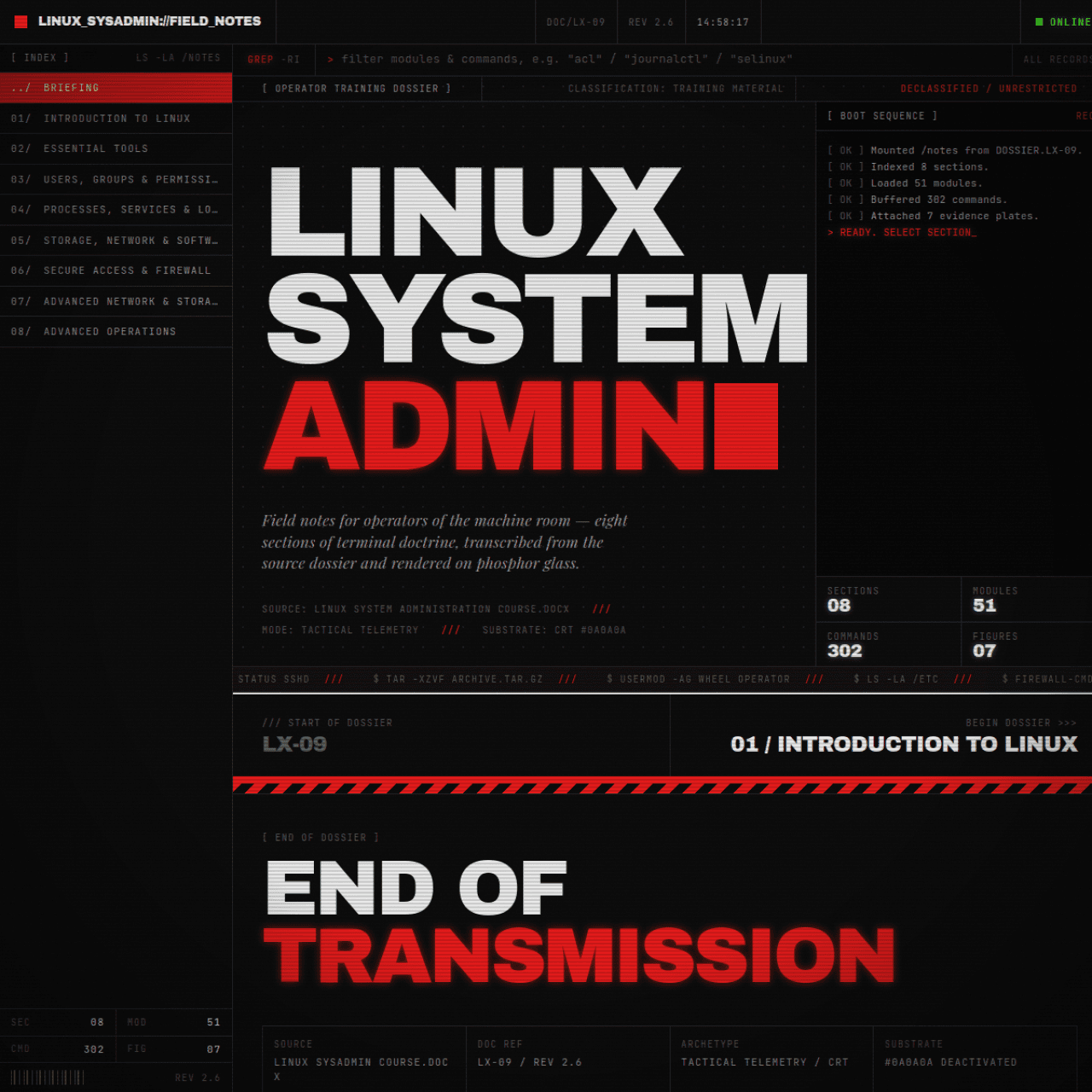
A complete Linux administration course — 8 sections, 51 modules, 302 commands — rebuilt as a CRT field manual you can actually read.
Self-initiated and published. The field manual is live and used by students working through the course.
- Client
- Self-initiated documentation
- Year
- 2024
- Role
- Technical writer & front-end developer
- Duration
- 6 Weeks
- Industry
- Education, Systems administration
- Tools
- Next.js, Tailwind, TypeScript, Vercel
- Technical writing
- Information architecture
- Front-end development
At a glance
Challenge
System administration material is usually a wall of text or a video playlist. Both fail the same way: you cannot scan it, you cannot search it well, and when you are debugging at 1am you need the exact command and its flags, not a thirty-minute video.
Solution
A terminal-themed field manual where every module is a scroll-driven chapter: a boot sequence opens each section, commands live in copyable blocks with explanation, flag and example lines, and the whole document is structured so a single command can be found in seconds.
Outcome
A published course manual covering the full syllabus — 302 commands with context, flags and examples — rendered as a cinematic CRT interface with zero interaction libraries, using pure CSS and IntersectionObserver.
Deliverables
- Complete course transcription and structure
- CRT boot-sequence and scanline system
- Copyable command blocks with flag reference
- Scroll choreography without animation libraries
- Search-friendly semantic document structure
Overview
Linux with Nomii is a complete Linux system administration course, transcribed module by module into a single document that behaves like the machine it teaches. Eight sections, fifty-one modules, three hundred and two commands.
It is the kind of reference you keep open in a second tab for a year — so the design brief was legibility first, atmosphere second, and never at the expense of the first.
The challenge
- Hold 302 commands without turning the page into a wall
- Make every command copyable and every flag explained
- Keep a strict terminal aesthetic that stays readable for an hour
- Let a student jump straight to the one command they forgot
- Animate the document without shipping an animation library
Approach
1. Structure like a filesystem
Eight top-level sections mirror the eight parts of the course, and every module carries a stable anchor and a numeric path. Deep links survive, and a student can send someone straight to module 34 — command 12.
2. The terminal is a theme, not a costume
Scanlines, phosphor glow and a boot sequence set the scene in the first three seconds. After that the chrome gets out of the way: high-contrast body text, generous line height, and code blocks that stay perfectly legible at any scroll speed.
3. Motion without a motion library
Reveals are driven by IntersectionObserver adding a class, and the transitions live in CSS. The result runs at 60fps with a script payload measured in kilobytes, on a page that is thousands of words long.
The solution
A Next.js application with a strict typography scale: a monospaced face for everything technical, a condensed display face for section titles, and colour used to signal state — never to decorate.
The payoff is speed of retrieval. A student debugging under pressure types three letters into their browser find and lands on the exact command with its explanation and a worked example.
Results
The manual is live and being worked through. It covers the complete course in one place, and the command blocks are copyable on a single click — the single most-used interaction on the page.
Key takeaways
A theme is a promise about the reading experience. If the terminal look ever costs legibility, the theme has failed at its own job.
For long-form technical documentation, retrieval speed beats presentation quality — but you do not have to choose; you can have both, as long as the presentation is built around the content instead of applied on top of it.
I keep it open in a tab permanently now. When something breaks at 1am I search for the command, copy it, and I am back to work in under a minute. The course videos were the reference; this became the tool.
FAQ
What does the manual cover?
The complete Linux system administration syllabus across eight sections and fifty-one modules, from filesystem and permissions through processes, networking, services, storage, security and troubleshooting — three hundred and two commands in total.
How do I find a specific command?
Every command has its own anchored entry with explanation, flags and a worked example, and the page structure is semantic, so browser find lands on the exact block you are looking for.
Does it need JavaScript to animate?
No. Reveals are triggered by IntersectionObserver and the animation itself is pure CSS, which keeps the page light and smooth even with thousands of words of content.
Have a project in mind?
I design and build production websites, platforms and documentation — from the first wireframe to a live deployment.
Cinesearch
Explore case study